Nodes reference
This page describes all node types and attachment tabs available in the workflow builder.
The builder panel has two distinct sections:
- Components — node types you drag onto the canvas to build the execution graph (Agent, Workflow, Orchestrator)
- Attachment tabs — items you drag onto an existing canvas node to configure it (Sources, Tools, Skills, LLMs)
Two workflow contexts
Standalone and assistant-embedded workflows use the same canvas but have different builder panels:
| Feature | Standalone workflow | Assistant workflow |
|---|---|---|
| Access path | /workflows-task/\{id\} | /assistants-config/\{id\}/workflow/\{id\} |
| Components panel (Agent / Workflow / Orchestrator) | Yes | No |
| Node Mode selector (Agent ↔ Orchestrator) | No | Yes |
| Attachment tabs (Sources / Tools / Skills / LLMs) | Yes | Yes |
| Run / History / Schedule | Yes | No |
Canvas nodes
Input
The Input node is always present on the canvas and cannot be deleted.
Configure here:
- Input parameters — fields users fill in at run time (see Input parameters)
- Prompt template — shared text snippet referenceable in component nodes via
{{variable}}placeholders
The Input node is the starting point of every execution path.
Components
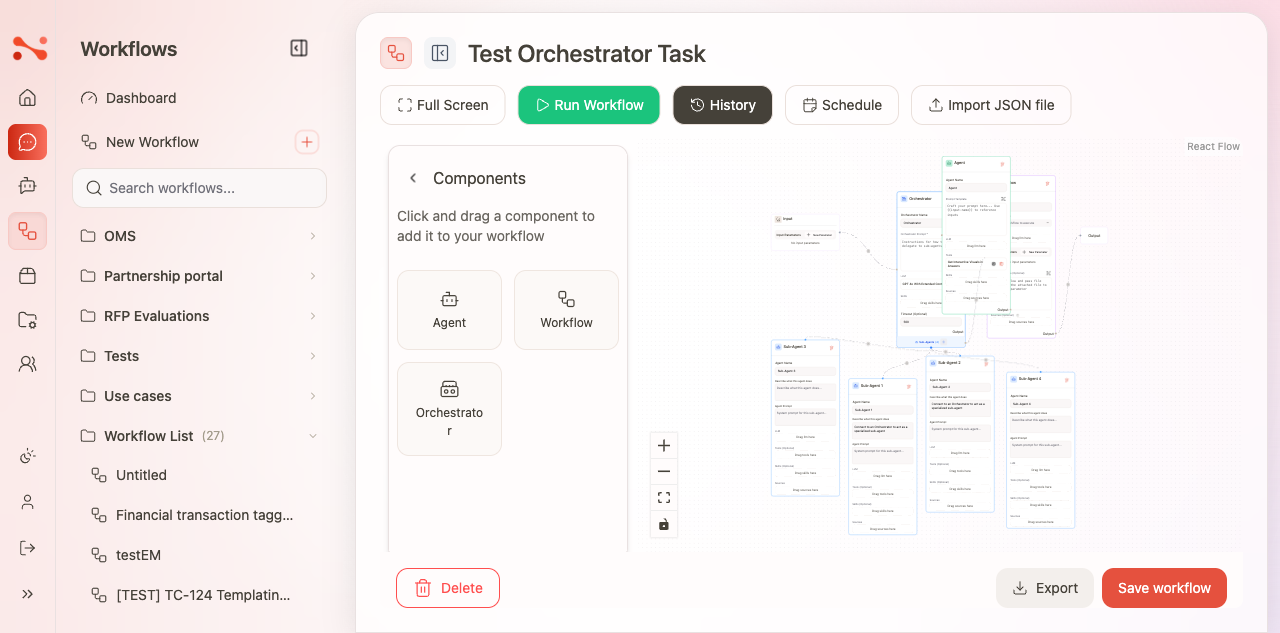
Components are the execution nodes you drag from the Components panel onto the canvas. Available only in standalone workflows.
Agent
An Agent node runs a single LLM prompt.
| Field | Description |
|---|---|
| Agent Name | Label for this step (displayed on the canvas) |
| Prompt Template | Instruction sent to the LLM; supports {{parameter_name}} placeholders |
| LLM | Drag an LLM Chat Setting from the LLMs tab (required) |
| Tools | Drag tools from the Tools tab (optional) |
| Sources | Drag sources from the Sources tab for RAG retrieval (optional) |
An Agent node must have an LLM assigned before the workflow can be saved or run.
Workflow
A Workflow node delegates execution to a separate standalone workflow.
- Select the target workflow to invoke.
- The referenced workflow runs as a sub-step and its output feeds into the next node.
Orchestrator
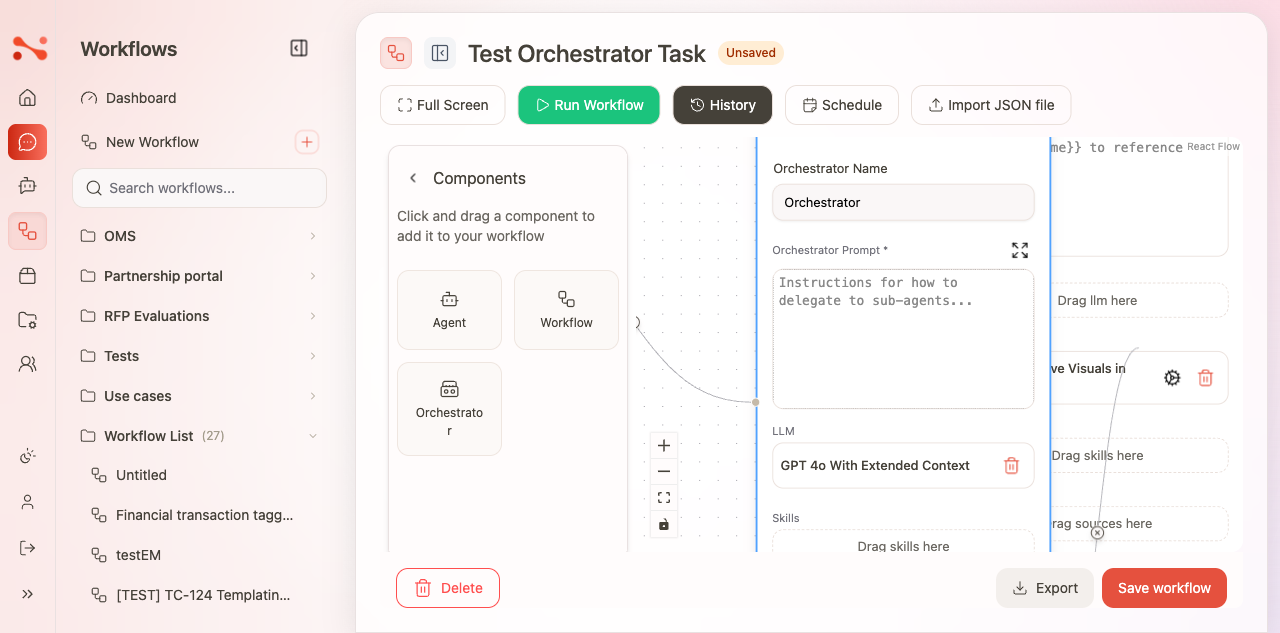
An Orchestrator node coordinates multiple agents or sub-workflows.
- Routes work to sub-agents based on the task at hand.
- Useful for complex pipelines where different agents handle different parts of a request.
The Components panel (Agent, Workflow, Orchestrator as separate node types) is only available in standalone workflows. In assistant workflows, Orchestrator behaviour is accessed via the Mode selector on the canvas node, not as a separate draggable component.
Output
The Output node is always present on the canvas.
- Marks the end of the execution chain.
- Connect the last component node's output handle to the Output node's input handle.
- Nodes not connected to the path from Input to Output are not executed.
Sticky note
Sticky notes are documentation-only elements — they do not execute.
Use them to annotate steps, explain design decisions, or leave notes for collaborators. Sticky notes are preserved when you save and export the workflow.
Attachment tabs
Attachment tabs appear in the builder panel of both standalone and assistant workflows. You drag items from these tabs directly onto a canvas node to configure it — they do not create new nodes.
| Tab | What you drag | Effect |
|---|---|---|
| Sources | Document source | Enables RAG retrieval from that source inside the node |
| Tools | Tool | Makes the tool available for the node's LLM to call |
| Skills | Skill | Adds a pre-built skill to the node |
| LLMs | LLM Chat Setting | Sets the model the node uses (required for Agent nodes) |
Assistant workflow panel
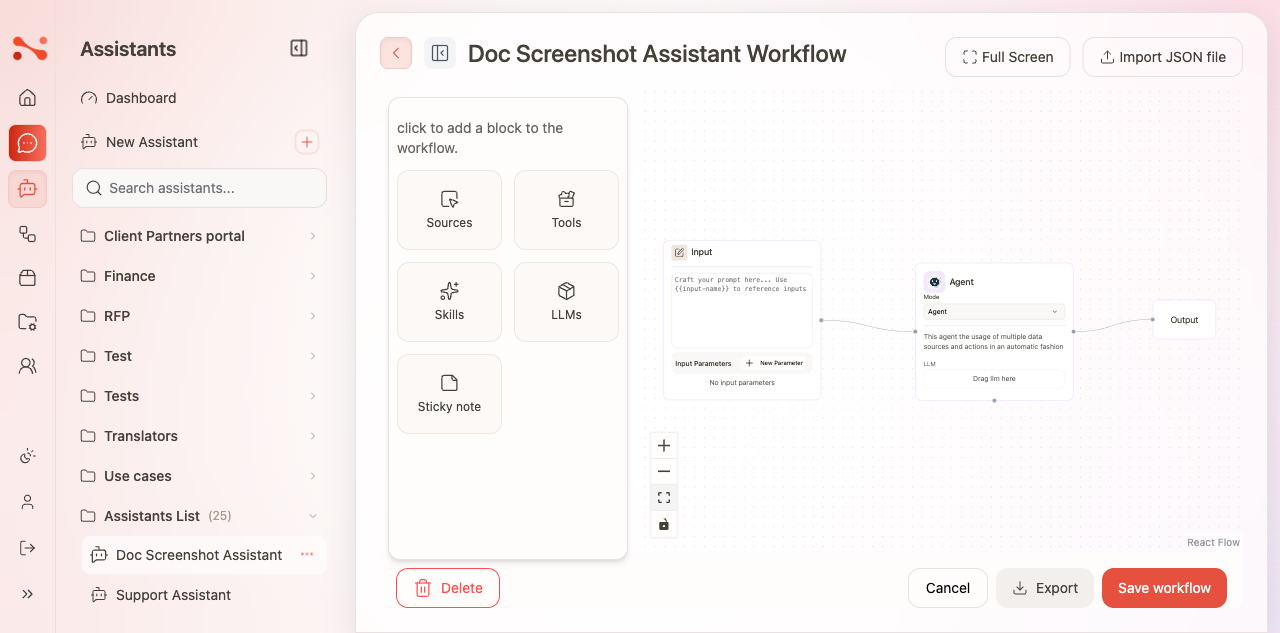
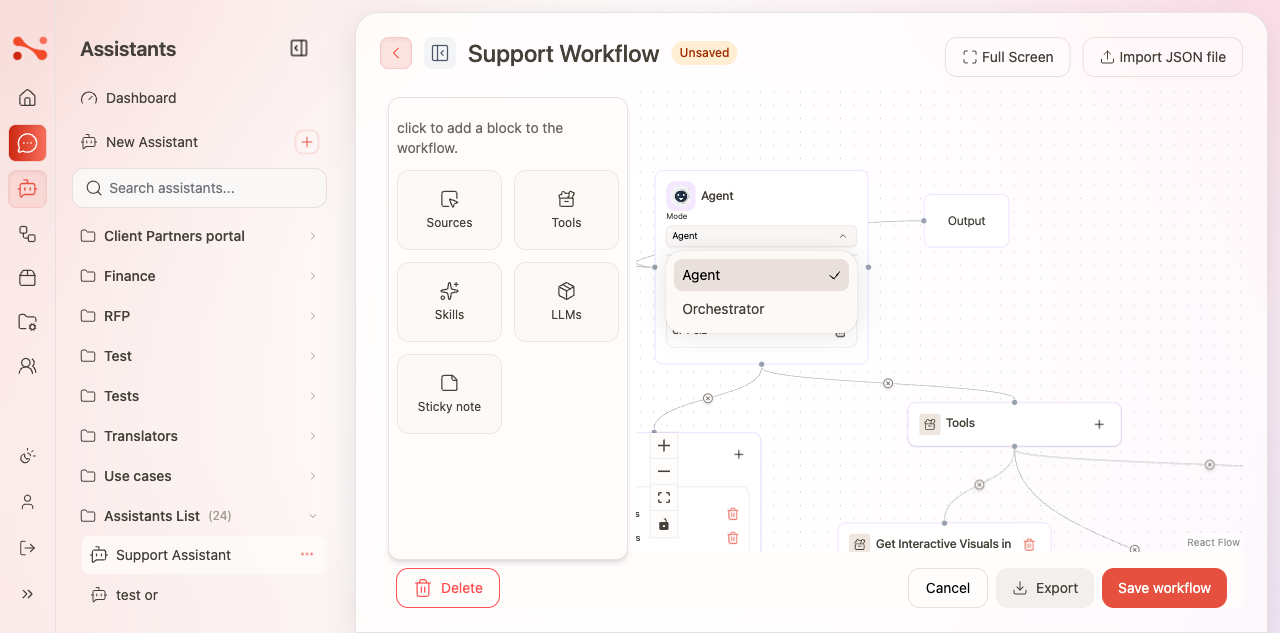
The assistant workflow editor has no separate Components panel. Instead, each canvas node has a Mode selector that switches it between Agent and Orchestrator behaviour.
Node Mode: Agent
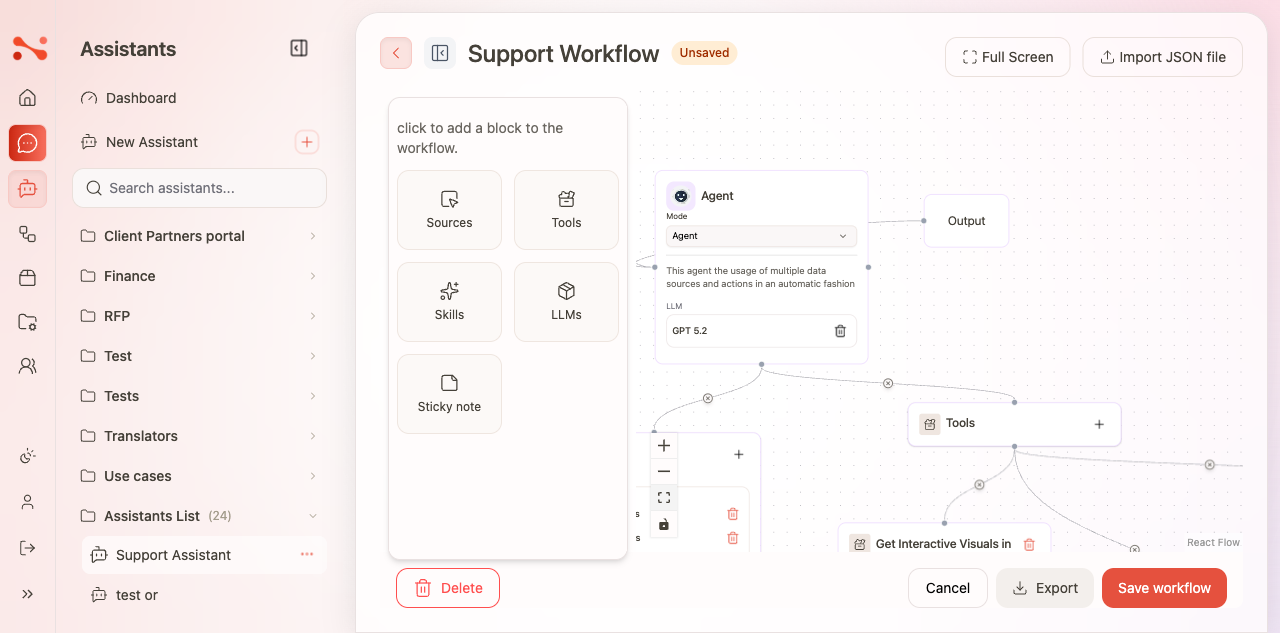
In Agent mode the node runs a single LLM prompt. The left panel shows the attachment tabs: Sources, Tools, Skills, LLMs, and Sticky note.
Node Mode: Orchestrator
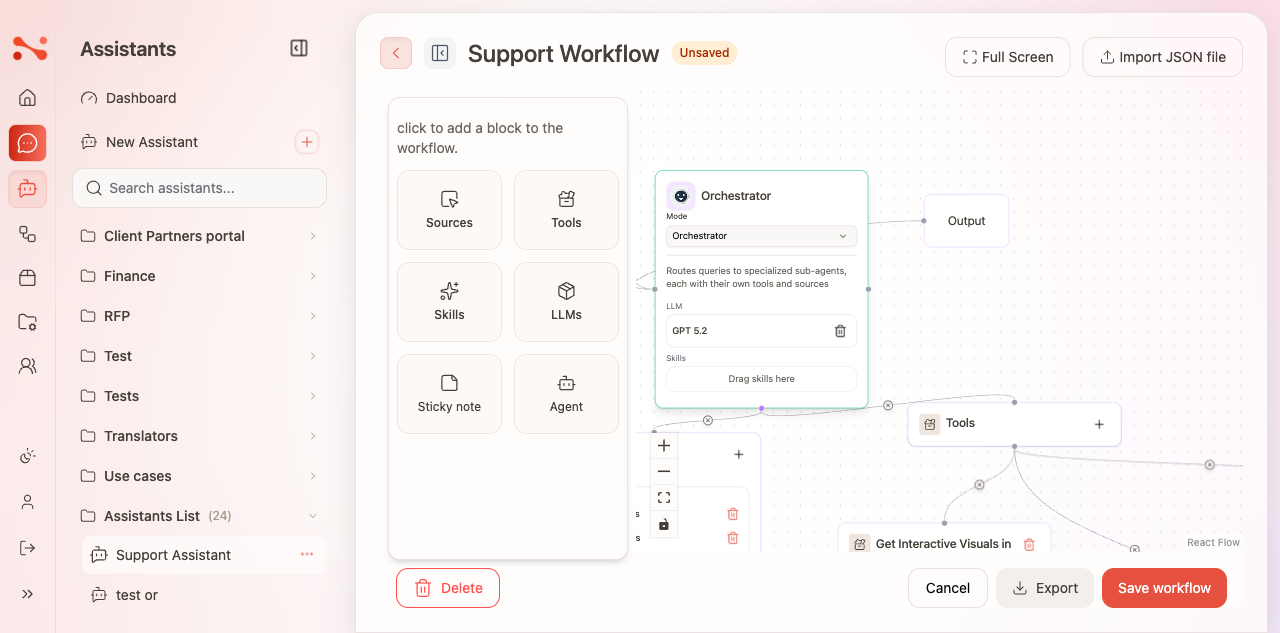
Switch the node to Orchestrator mode to coordinate multiple sub-agents. When Orchestrator mode is active:
- The node routes queries to specialized sub-agents, each with their own tools and sources
- The left panel gains an Agent block — drag it onto the canvas to add sub-agent nodes under the orchestrator
- Each sub-agent can have its own LLM, Sources, Tools, and Skills configured independently
Execution order
- Execution follows edges from Input → component nodes → Output.
- Multiple component nodes can be chained: Input → Agent A → Agent B → Output.
- Any node not connected to the path from Input to Output is ignored at run time.
- Component nodes require an LLM; the run is blocked with an error if any LLM is missing.
Tips for clean graphs
- Name each component node after its outcome (e.g., "Extract fields", "Summarise", "Draft reply").
- Keep prompts focused; use the Input node's prompt template for shared boilerplate.
- Use sticky notes to document non-obvious routing decisions.