Manage User Settings
Edit a user's role and preferred language from the User Settings page.
URL: /users/{userId}
Page title: "User Settings - Noema AI"
Page heading: "Settings: {User Display Name}"
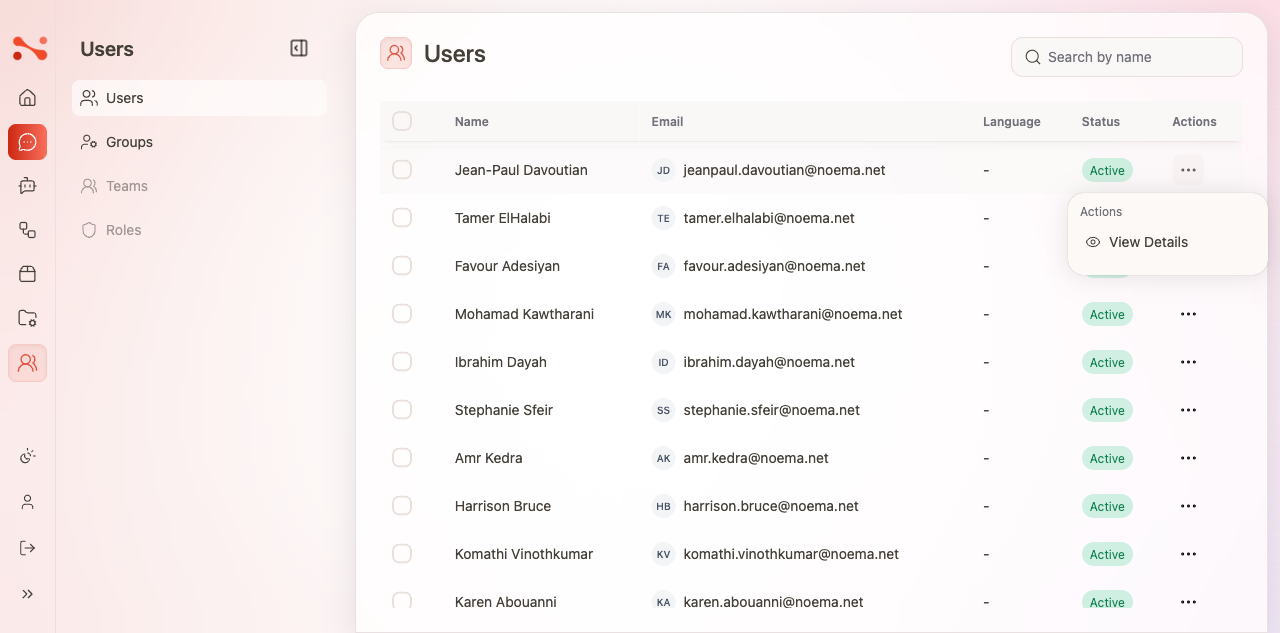
Open user settings
- Navigate to
/users. - Click the ⋯ (Actions) button on the user's row.
- Click Edit — navigates to
/users/{userId}.
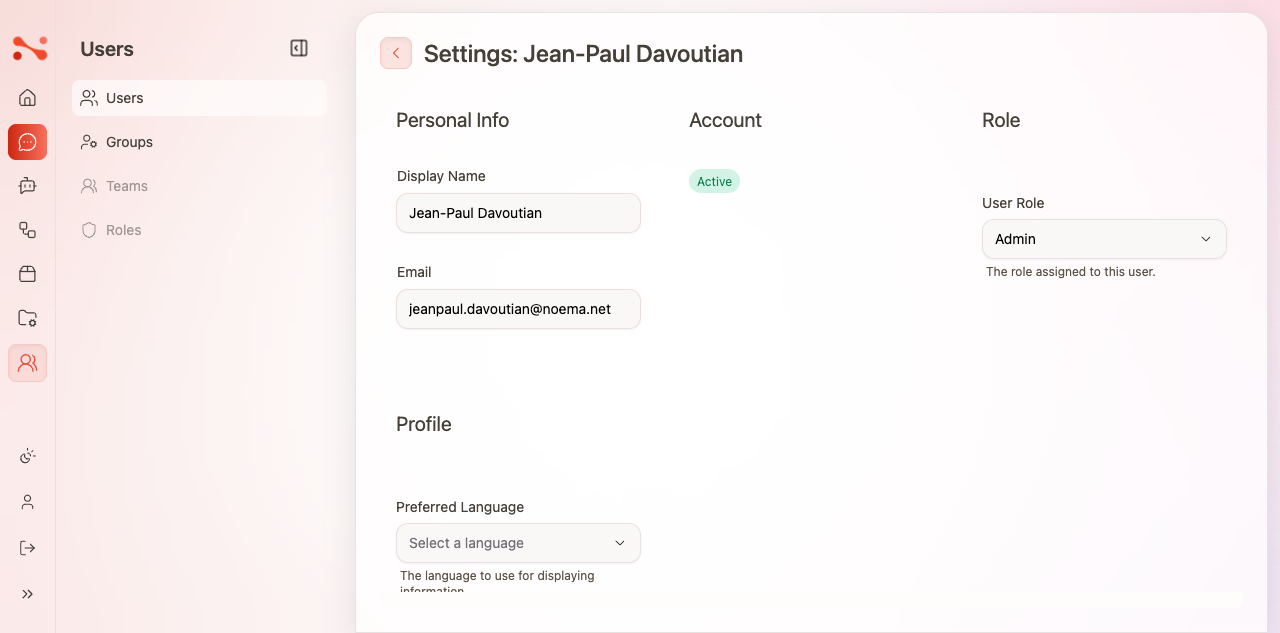
User settings fields
Personal Info
| Field | Editable | Description |
|---|---|---|
| Display Name | No (read-only) | The user's full display name |
| No (read-only) | The user's email address |
Display Name and Email are managed via Azure Entra ID and cannot be changed in the app.
Account
| Field | Description |
|---|---|
| Status | Shows the account status badge (e.g. "Active") |
Role
| Field | Description |
|---|---|
| User Role (Platform) | Platform-level role. Options: Admin, Platform Admin, User, Contributor |
| User Role (Application) | Application-specific role — "The role assigned to this user." |
Profile
| Field | Description |
|---|---|
| Preferred Language | The language to use for displaying information. Options include English and others. |
Save changes
Click Update User (bottom right of the page) to save role and language changes.
Back to user list
Click the user avatar/initials image at the top of the settings page to return to /users.
note
There is no ← back arrow button on the User Settings page. Navigation back to the user list is via the avatar image in the heading area.
Delete a user
- Navigate to
/users. - Click the ⋯ (Actions) button on the user's row.
- Click Delete in the Danger Zone section — labelled "Permanently delete the user profile".
- Confirm the deletion.
note
User deletion is permanent. Consider disabling or changing a user's role as an alternative.
Business rules
| Rule | Behaviour |
|---|---|
| Display Name and Email are read-only | Managed via Azure Entra ID, not editable in the app |
| Role change saved on Update User | Changes are not applied until Update User is clicked |
| No invite/create user button | User provisioning is handled by Entra ID |
| Search is client-side | Real-time filtering without page reload |