Language
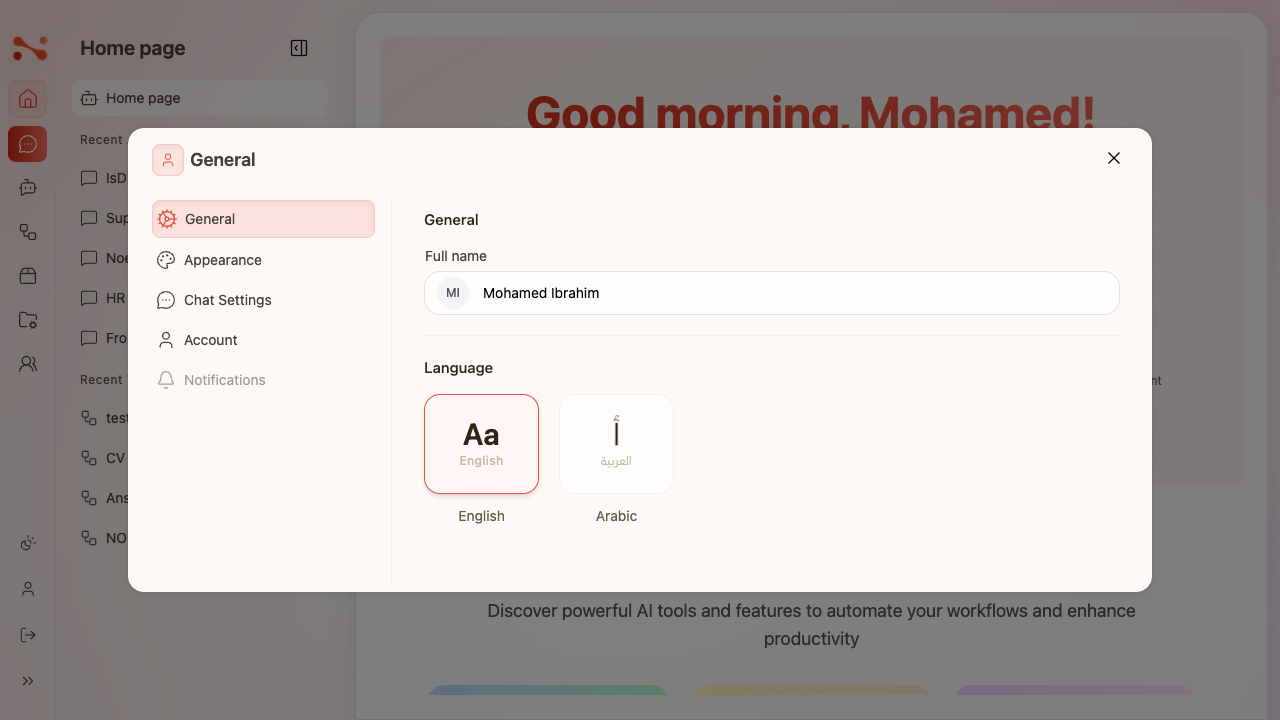
Switch the application display language between English and Arabic. The preference is persisted in localStorage and applies globally — switching language also changes the layout direction (LTR ↔ RTL).
Where to find it
Sidebar → profile icon → Profile dialog → General tab → Language section
- Click the profile icon at the bottom of the sidebar.
- The Profile dialog opens on the General tab by default.
- The Language section shows two cards: English and Arabic.
The Profile dialog has five tabs: General, Appearance, Chat Settings, Account, and Notifications.
Available languages
| Language | Card label | Layout direction |
|---|---|---|
| English | English (Aa) | Left-to-right (LTR) |
| Arabic | العربية / Arabic (أ) | Right-to-left (RTL) |
The active language card has a red border; the inactive card has a grey border.
Switching language
- Open the Profile dialog (profile icon in the sidebar).
- Ensure the General tab is selected.
- Click a language card.
- The language switches instantly — no save button is required.
- All UI labels, headings, navigation items, and dialog text switch language immediately.
- The preference is saved to
localStorage["language"]and persists across page reloads and navigation.
Arabic (RTL) layout
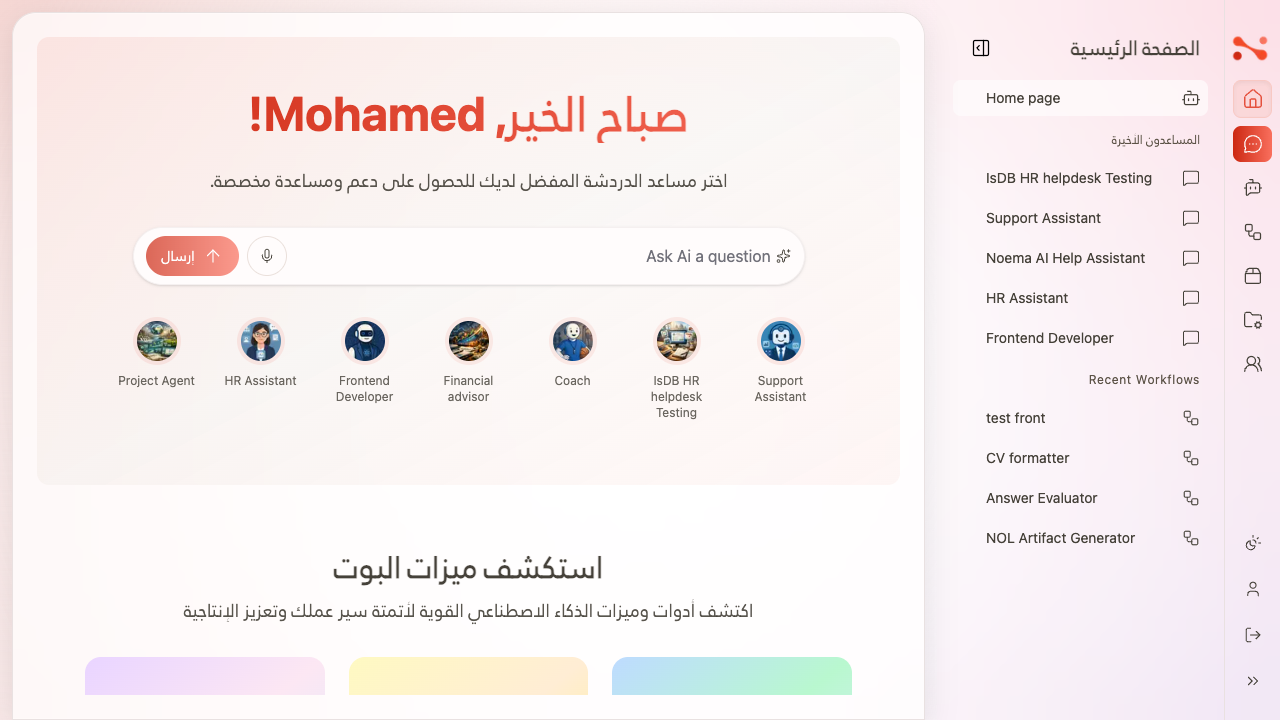
When Arabic is selected, the layout fully mirrors:
| Element | Change |
|---|---|
| Sidebar | Moves from left to right |
| Noema logo | Appears at top-right |
| Text | Aligns right-to-left |
| Navigation items | Right-aligned |
| Send button | Appears on the left of the chat input |
| Page heading | Appears top-right |
| Content language | Greetings, headings, navigation all render in Arabic |
note
User content (assistant names, workflow names) remains in its original language and is not translated.
Default behaviour
When no language preference is stored:
- The app defaults to English (
lang="en",dir="ltr") localStorage["language"]is automatically set to"en"on load
Business rules
| Rule | Behaviour |
|---|---|
| Two languages | English and Arabic only |
| Instant switch | Clicking a language card applies it immediately — no save button |
| RTL for Arabic | Full layout mirroring |
| Persisted in localStorage | Survives navigation and page reload |
| Default is English | Auto-set to "en" when no preference is stored |
| UI text translated | All app chrome switches; user content (assistant/workflow names) does not |
| Active card highlighted | Red border on selected language |