Document Sources
A Document Source is a named container that holds documents or connects to an external data system. Sources power RAG (retrieval-augmented generation): when a user sends a message, the system retrieves relevant chunks from indexed sources to ground the AI response.
Dependency chain: Source → (assigned to) Workflow node / Assistant → Chat response
Source types
| Type | Description |
|---|---|
| File | Upload files directly (PDF, images, etc.) |
| Azure Blob Storage | Connect an Azure Blob container |
| Amazon S3 | Connect an S3 bucket |
| SQL Database | Connect a SQL data source |
| Web Site | Crawl a website |
| Rest API | Pull from a REST endpoint |
| GraphQL API | Pull from a GraphQL endpoint |
| Workbook | Excel/spreadsheet ingestion |
| Jira | Sync from Jira |
| Confluence | Sync from Confluence |
| SharePoint | Connect a SharePoint site |
| Text to SQL | Natural-language SQL query source |
Create a source
- Navigate to
/sources/dashboard. - Click New Source in the sidebar.
- Enter a source name. The Source Code field auto-generates a kebab-case slug from the name (editable).
- Select a Source Type from the dropdown.
- Click Save Source.
- You are redirected to the source detail page at
/sources/\{sourceCode\}.
Both Name and Source Type are required. Submitting without them marks the fields as invalid. The source code auto-generates from the name but can be edited manually before saving.
Source detail page
URL: /sources/\{sourceCode\}
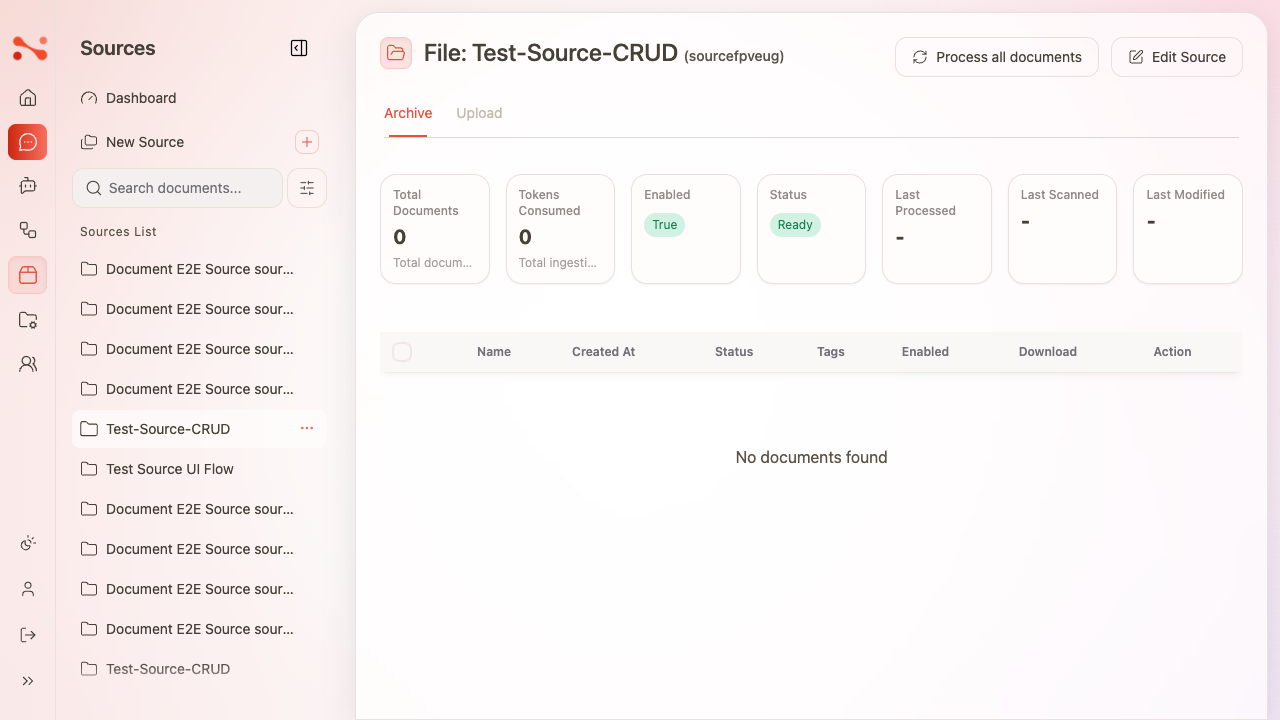
The Archive tab is active by default. It shows:
Stats panel
| Stat | Description |
|---|---|
| Total Documents | Number of documents in the source |
| Tokens Consumed | Total tokens used during ingestion |
| Enabled | Whether the source is active |
| Status | Current operational state |
| Last Processed | Timestamp of last ingestion run |
| Last Scanned | Timestamp of last scan |
| Last Modified | Timestamp of last edit |
Document table
| Column | Description |
|---|---|
| Name | Filename or document identifier |
| Created At | Upload/sync date |
| Status | Document state (Uploaded, Processed, Failed, …) |
| Tags | Metadata tags assigned to the document |
| Enabled | Toggle to include/exclude from RAG retrieval |
| Download | Download the original file |
| Action | Per-document actions menu |
When a source has no documents, the table body shows "No documents found" and the stats panel shows zeros and dashes.
Upload documents (File-type sources)
- Open the source detail page.
- Click the Upload tab — navigates to
/sources/\{sourceCode\}/upload. - Drag and drop files onto the dropzone, or click to browse.
- Files appear in the upload queue; upload triggers automatic ingestion.
- After upload, documents appear in the Archive tab with status "Uploaded".
Process documents
- Click Process all documents on the source detail page to re-ingest all documents in the source.
- To process a subset: select documents via the checkbox column → click Actions → Process.
Bulk document actions
- Select one or more documents using the row checkboxes.
- Click Actions.
- Choose from: Enable, Disable, Process, or Delete.
Bulk delete shows a confirmation: "Are you sure you want to delete N selected documents?"
Edit a source
From sidebar: Click Source actions (⋯) next to the source → Edit Source → navigates to /sources/\{sourceCode\}/edit.
From detail page: Click Edit Source button.
Fields on the edit page:
| Field | Description |
|---|---|
| Source name | Display name |
| LLM Ingestion settings | Controls how the LLM reads and chunks the content |
| Enabled | Whether the source is used in chat RAG responses |
| Container | Source type-specific settings (e.g. Azure container name) |
| Description for LLM | Text that tells the LLM what this source contains |
Click Update Source to save.
Delete a source
- Click Source actions (⋯) next to the source in the sidebar.
- Click Delete in the Danger Zone section — labelled "Permanently delete the source".
- Confirm in the dialog: "Are you sure you want to delete: {name}?"
- After deletion you are redirected to
/sources/dashboardand the source is removed from the sidebar.
Source deletion is permanent and cannot be undone.
Search sources
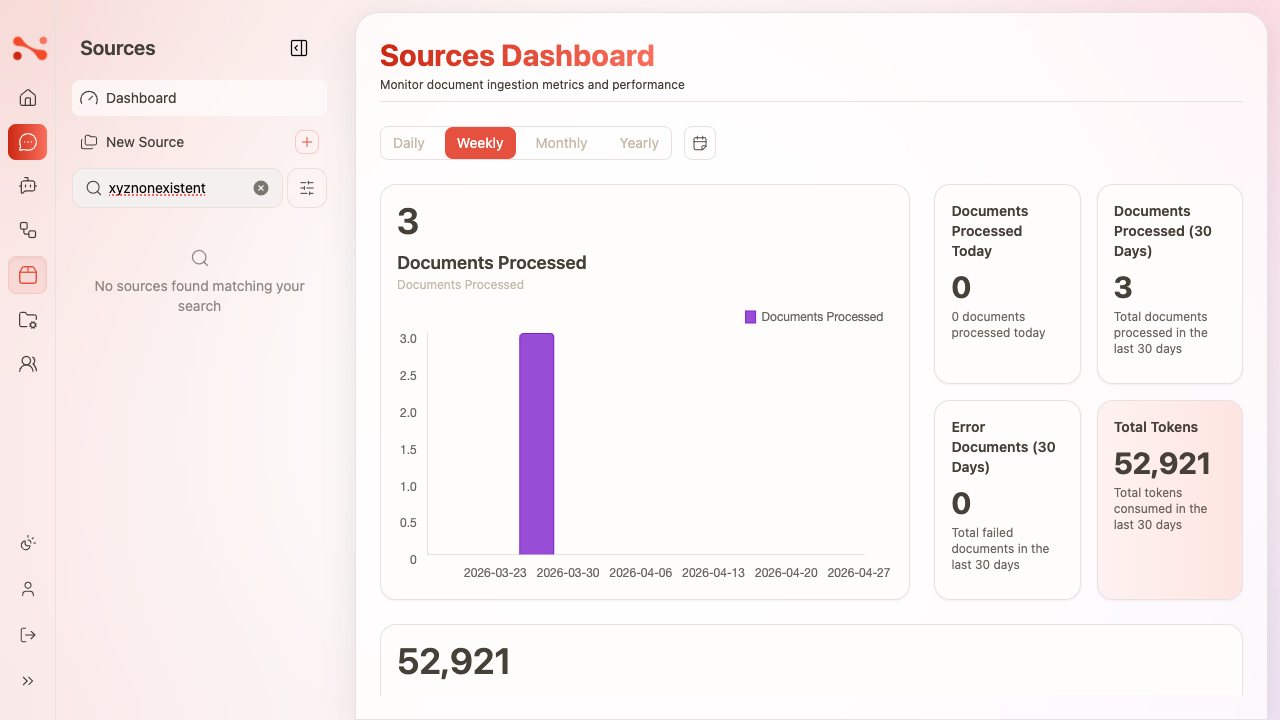
Type in the Search documents… field in the sidebar to filter the source list in real-time.
Business rules
| Rule | Behaviour |
|---|---|
| Name required | Validation error if name is empty on create |
| Type required | Type dropdown must be selected to save |
| Source code auto-generated | Derives as a kebab-case slug from name; editable before saving |
| File-type sources support upload | Upload tab is available only for File-type sources |
| Enabled toggle | Controls whether the source is used in chat RAG retrieval |
| Process all | Re-triggers ingestion for all documents in the source |
| Delete is permanent | Cannot be undone; labelled "Permanently delete the source" |
| Document enabled | Toggle uses data-selected attribute; persists after page reload |