Manage User Settings
Edit a user's role and preferred language from the User Settings page.
URL: /users/{userId}
Page title: "User Settings - Noema AI"
Page heading: "Settings: {User Display Name}"
Open user settings
- Navigate to
/users. - Click the ⋯ (Actions) button on the user's row.
- Click Edit — navigates to
/users/{userId}.
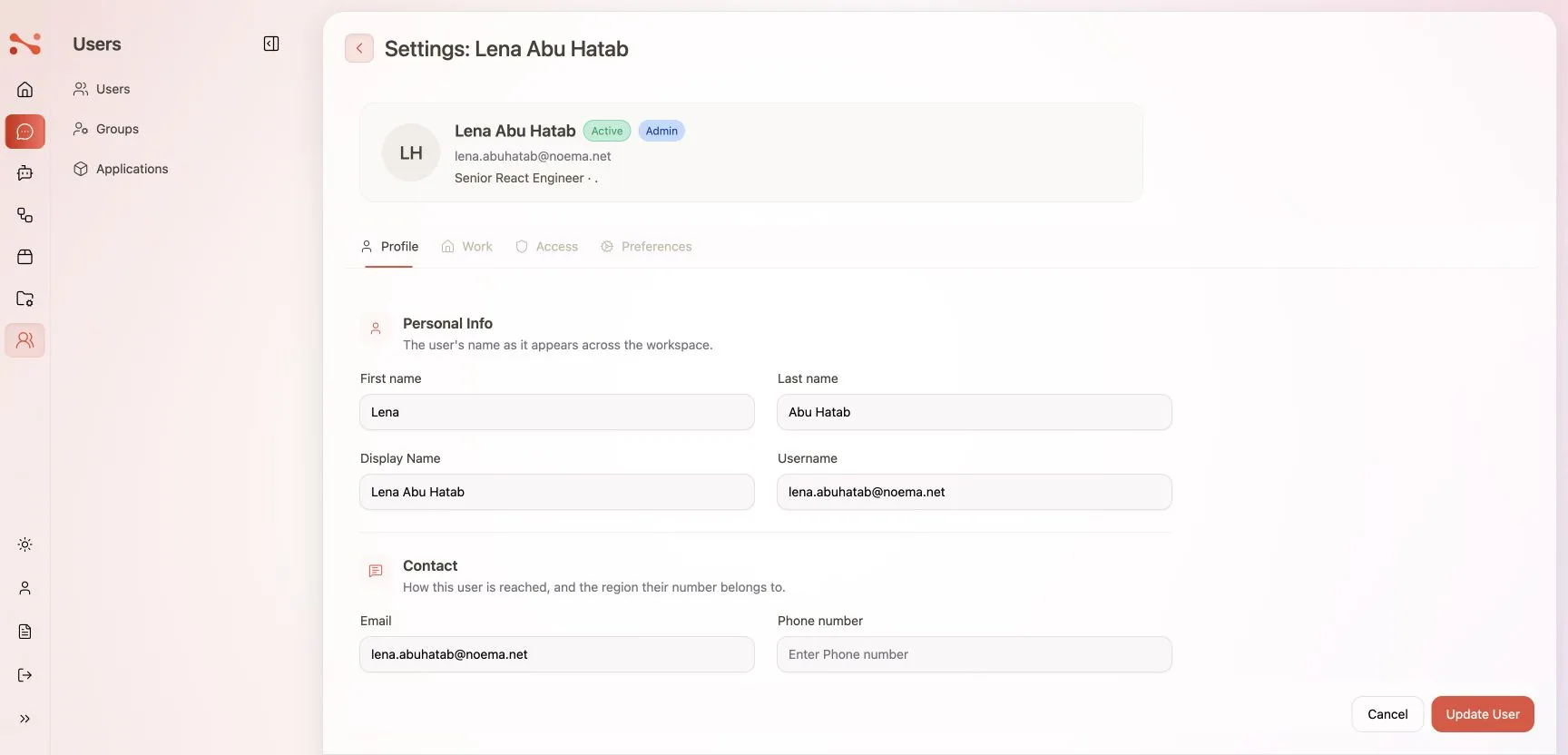
User settings fields
The editor now uses four tabs. Changes remain local to the form until you choose Update User.
Profile
Edit First name, Last name, Phone number, and Country. Display Name, Username, and Email are read-only. Country uses a two-letter ISO code, such as SA.
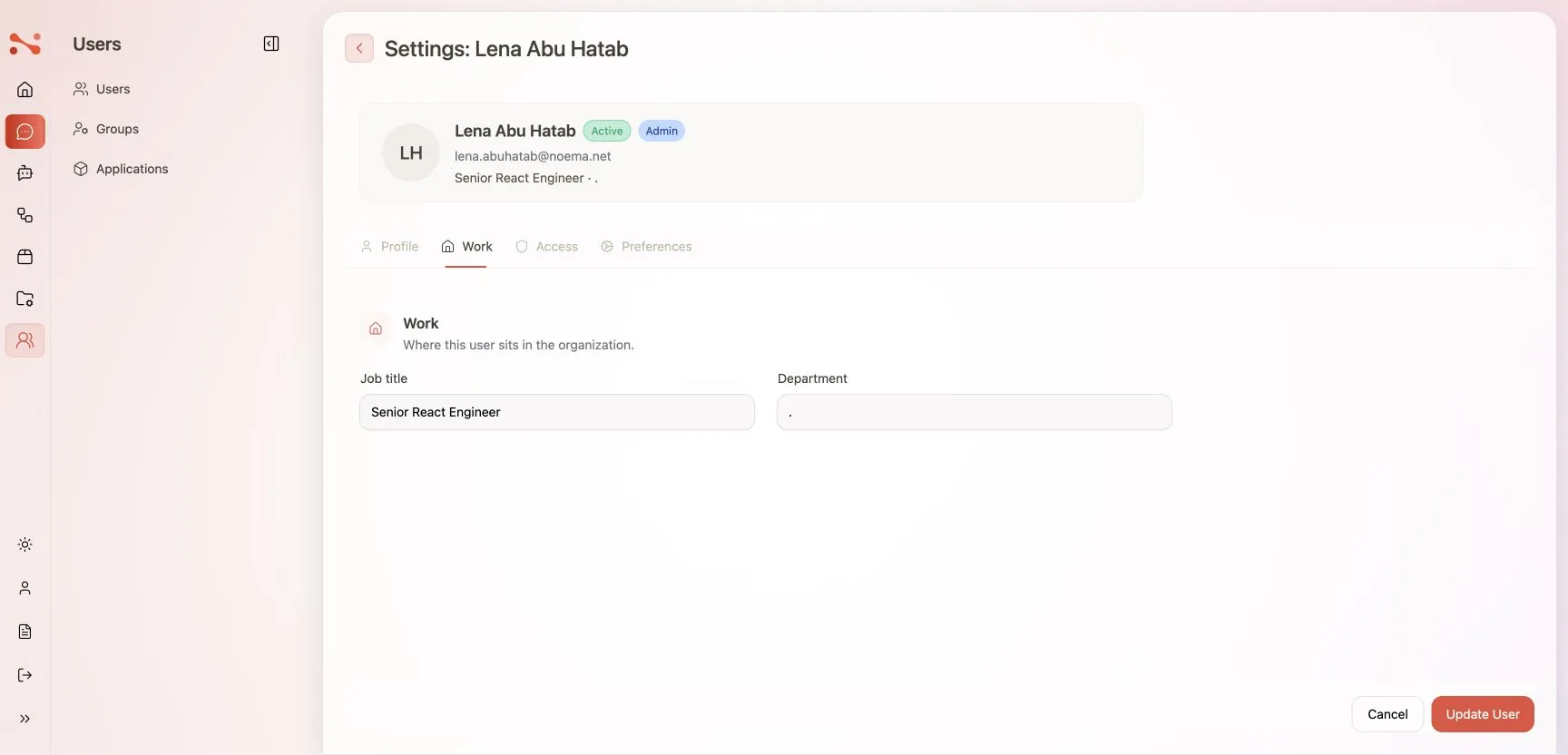
Work
Edit the user's Job title and Department.
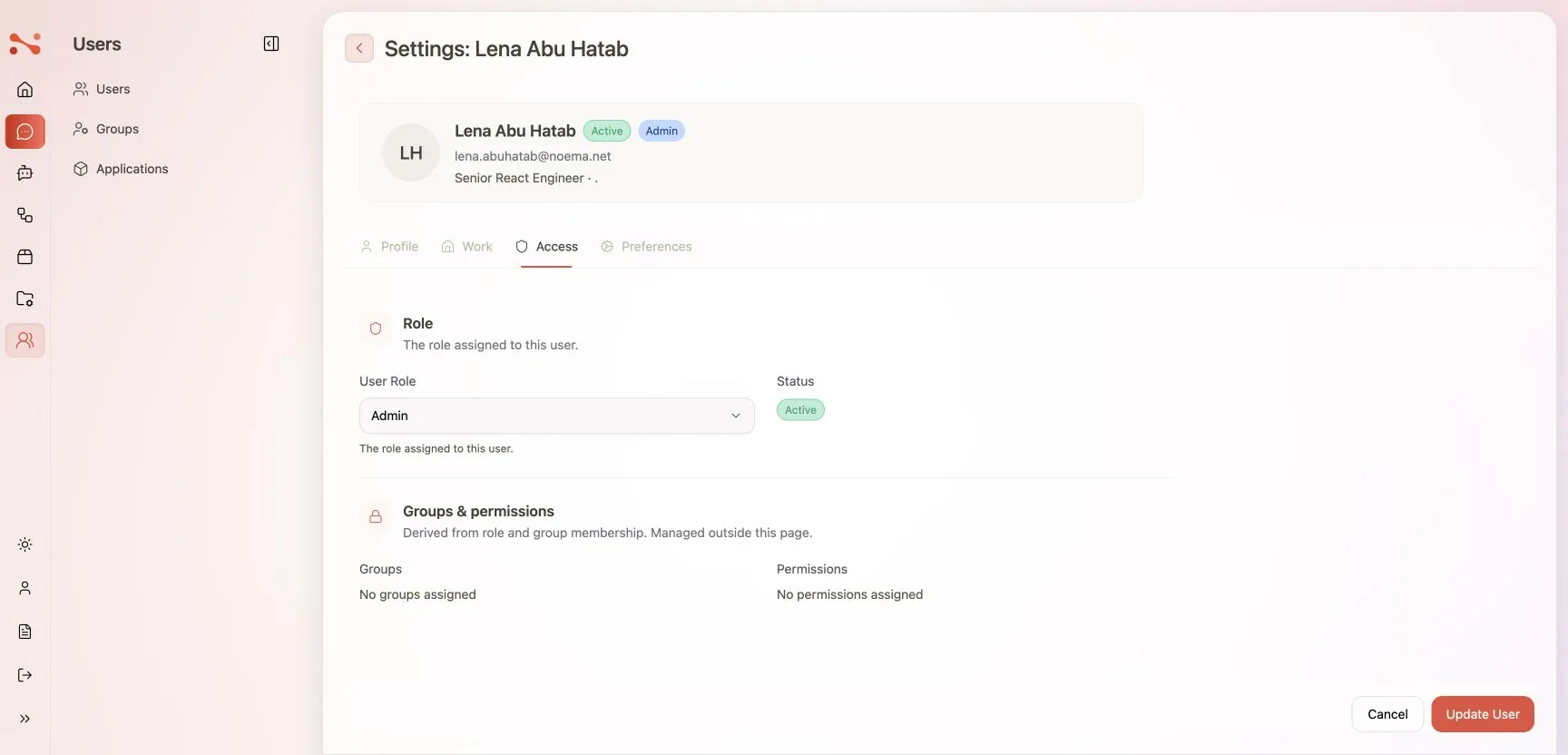
Access
Review the account's status and select its User Role when authorized. The Groups & permissions summary is derived from role and group membership and is managed outside this page.
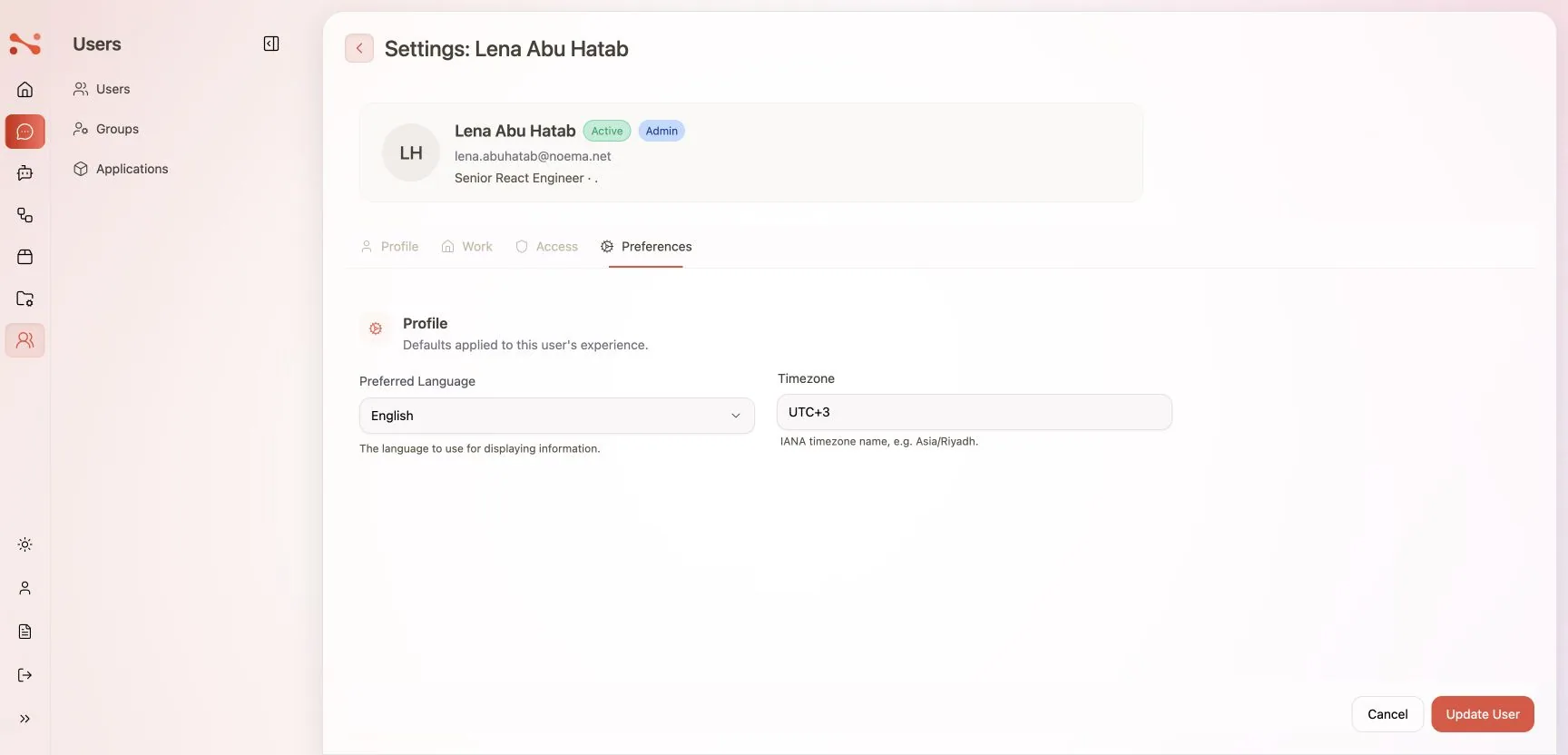
Preferences
Set Preferred Language and Timezone. The timezone field expects an IANA name, such as Asia/Amman.
Save changes
Click Update User (bottom right of the page) to save profile, work, role, and preference changes.
Back to user list
Choose Cancel or open Users in the sidebar to return to the user list without submitting changes.
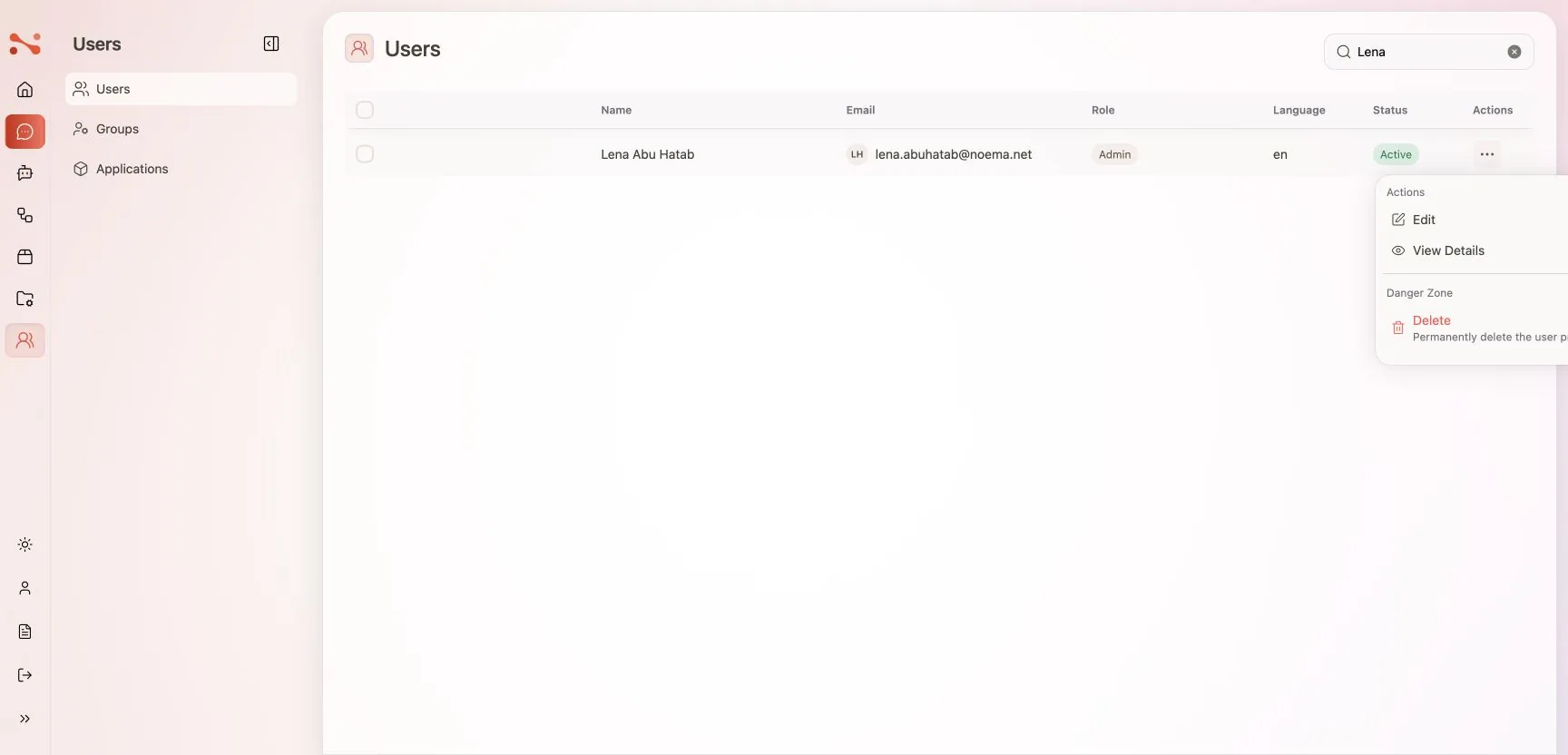
Delete a user
- Navigate to
/users. - Click the ⋯ (Actions) button on the user's row.
- Click Delete in the Danger Zone section — labelled "Permanently delete the user profile".
- Confirm the deletion.
User deletion is permanent. Consider disabling or changing a user's role as an alternative.
Business rules
| Rule | Behaviour |
|---|---|
| Display Name and Email are read-only | Managed via Azure Entra ID, not editable in the app |
| Role change saved on Update User | Changes are not applied until Update User is clicked |
| No invite/create user button | User provisioning is handled by Entra ID |
| Search filters the user list | Enter a name and wait for matching results |