Create and use reusable skills
A skill packages instructions that can be reused across agents. It has a name, description, instruction content, and optional version and tags. Skills are separate from tools and LLM settings.
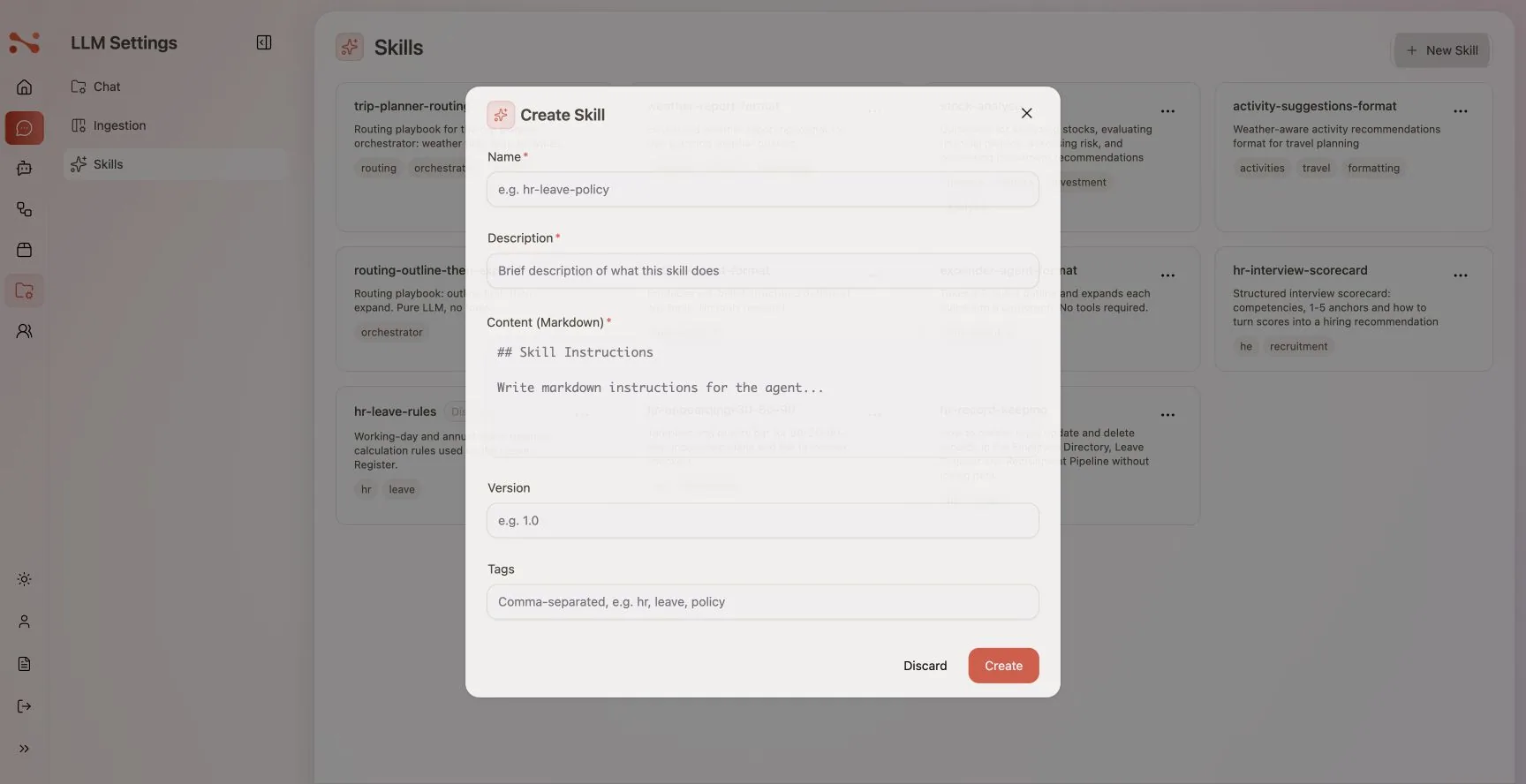
Create a skill
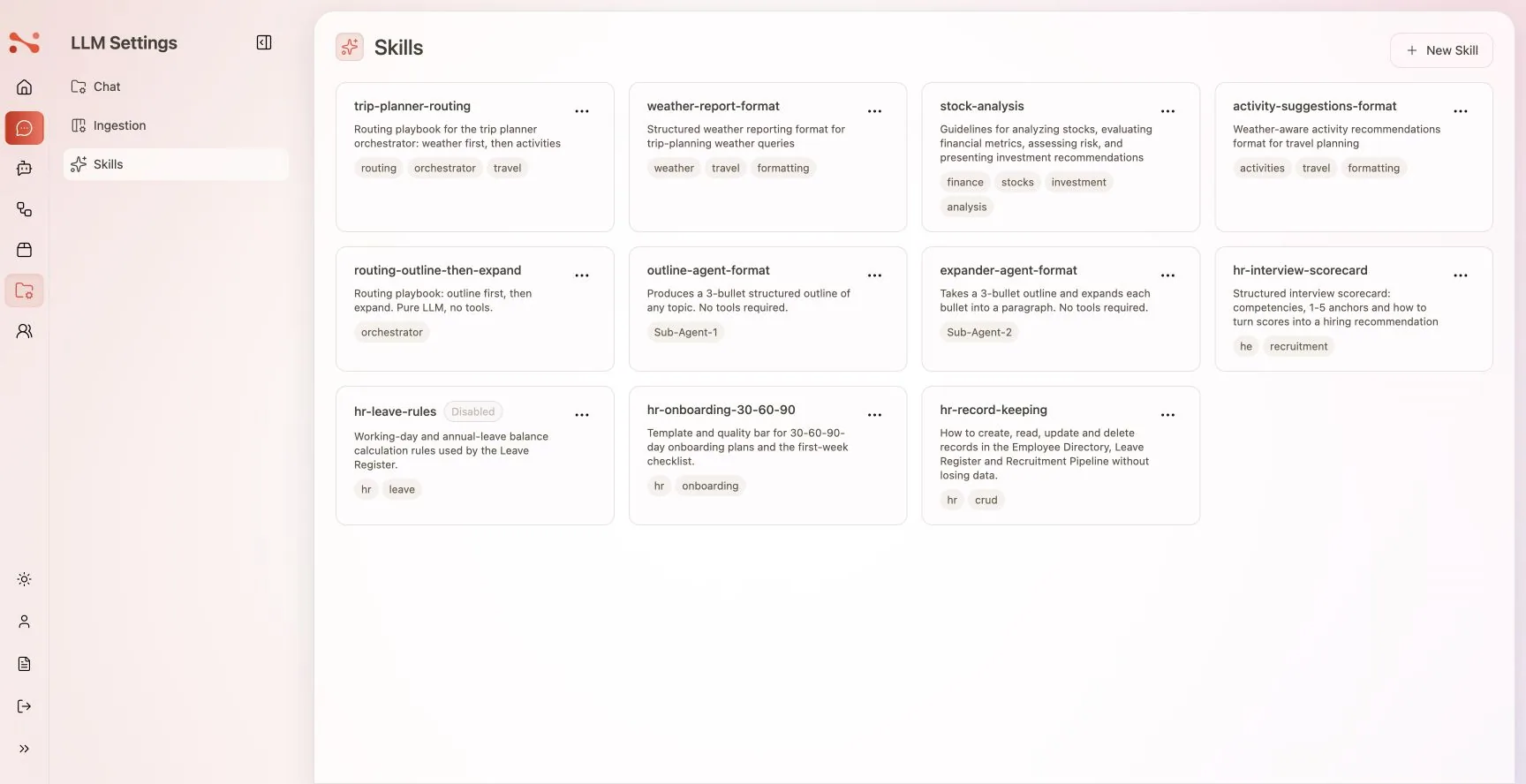
- Open Settings → Skills at
/config/skills. - Choose the create action and enter Name, Description, and Content. All three are required.
- Save the skill. Open it from the list to edit its instructions, version, tags, or enabled state.
- Save your changes before using the skill in a workflow.
Use the description to explain when the skill should be used, and the content to specify how the task should be performed. Keep instructions focused enough to be useful in more than one workflow.
Assign a skill to an agent
- Open an assistant workflow or standalone workflow.
- Open the Skills tab in the builder panel.
- Drag a skill onto an agent's skill drop area.
- Save the workflow.
The workflow stores the skill assignment by ID. Review the skill's usage before deleting or making changes that could affect multiple agents.
Access and availability
The settings section is permission-controlled. If Skills is unavailable, ask an administrator to check your organization permissions. Review the skill's enabled state and the workflow assignment when troubleshooting availability.